Product Support
Pro X3 Support
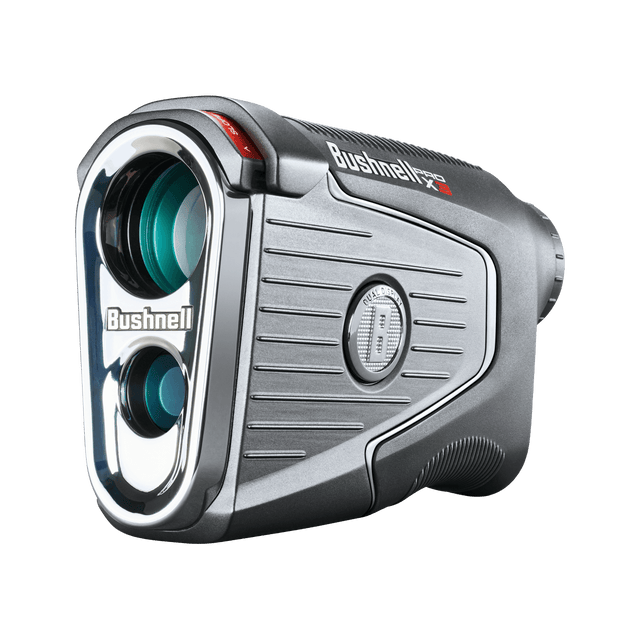
Getting started, FAQs, manuals, and warranty details for the Pro X3 laser rangefinder (product #202250).

Getting Started
Two minutes of setup before your first round.
Guides & Manuals
PDF downloads open in a new tab.
Pro X3 User Manual
The Pro X3 is a tour-proven laser rangefinder with Slope, BITE magnetic mount, and Visual JOLT. This owner's manual covers setup, features, settings, and care.
Download PDFPro X3 Quick Start Guide
The Pro X3 is a tour-proven laser rangefinder with Slope, BITE magnetic mount, and Visual JOLT. This quick start guide walks you through setup and your first round.
Download PDF
2 years Warranty
FAQs
Troubleshooting and care, answered. Still stuck? The contact options below reach a real Bushnell Golf expert.
I see debris in the lens
This is likely solar burn — over time the device can develop small dots from sun exposure. The dots are cosmetic and should not affect performance. If solar burn becomes substantial enough to interfere with the viewing area, contact Bushnell Golf Support for options.
What steps need to be taken to begin pairing my Pro X3 to the Bushnell Golf Mobile (BGM) App?
Before pairing the Pro X3 to the Bushnell App, please do the following:
Verify that the Pro X3 is not paired in your Bluetooth Settings. Some mobile devices will auto-pair to the device, preventing it from pairing via the App. If it is paired, please remove the device from the Bluetooth Settings.
Turn off/on Bluetooth before beginning the pairing process.
Verify that the Pro X3 is not paired in your Bluetooth Settings. Some mobile devices will auto-pair to the device, preventing it from pairing via the App. If it is paired, please remove the device from the Bluetooth Settings.
Turn off/on Bluetooth before beginning the pairing process.
Why do I need to pair my Pro X3 to the Bushnell Golf Mobile (BGM) App?
The Pro X3 does not require you to have your phone or the Bushnell App turned on, however to get the full benefit of the Elements function, please connect the Pro X3 to the Bushnell App prior to playing your round. The Bushnell App makes adjusting settings easier, plus you can save rounds and statistics.
My buddies laser rangefinder provides a different range than my Pro X3. Which is correct?
To compare the Pro X3 to another rangefinder, turn off the Elements mode. There may still be slight differences, based on the Pro X3's next generation laser engine, but they should be similar. With Elements turned on, and having set your Home Elevation to where you play most often, the Pro X3 will provide the most accurate compensated distance.
I've been using Bushnell laser rangefinders for years, why do I not get the JOLT feedback as often with the Pro X3?
The Pro X3 uses the next generation of laser technology, allowing the laser beam to capture the pin faster than previous models. In this case, the distance is displayed, but no JOLT indication will be provided because more than one object was not acquired. You can verify the distance to the pin (and get the JOLT feedback) by continually pressing the Power/Fire button and sweeping to the pin. This forces the Pro X3 to hit the background objects, then hit the pin, which should be closest object recognized by the laser.
Is the Pro X3 Waterproof?
Yes, the Pro X3 is manufactured and tested to withstand water exposure up to IPX7 standards. It is waterproof, submersible to a depth of 1 meter for up to 30 minutes.
Can I clean the Pro X3?
Yes, follow these steps.
1. Blow away any excessive dust or debris on exterior (or use a soft brush).
2. To remove dirt or finger prints, clean with the supplied micro fiber cloth rubbing in a circular motion. Use of a coarse cloth or unnecessary rubbing may scratch the lens surface and eventually cause permanent damage. The included washable microfiber cleaning cloth is ideal for the routine cleaning of your optics. Simply breathe lightly on the lens to provide a slight amount of moisture, then gently rub the lens with the microfiber cloth.
3. For a more thorough cleaning, photographic lens tissue and photographic-type lens cleaning fluid or isopropyl alcohol may be used. Always apply fluid to the cleaning cloth - never directly on the lens.
1. Blow away any excessive dust or debris on exterior (or use a soft brush).
2. To remove dirt or finger prints, clean with the supplied micro fiber cloth rubbing in a circular motion. Use of a coarse cloth or unnecessary rubbing may scratch the lens surface and eventually cause permanent damage. The included washable microfiber cleaning cloth is ideal for the routine cleaning of your optics. Simply breathe lightly on the lens to provide a slight amount of moisture, then gently rub the lens with the microfiber cloth.
3. For a more thorough cleaning, photographic lens tissue and photographic-type lens cleaning fluid or isopropyl alcohol may be used. Always apply fluid to the cleaning cloth - never directly on the lens.
When do I replace the battery?
Replace the battery when the unit won't turn on, the display doesn't illuminate, or the display goes blank when firing the laser. Use a quality CR2 3-volt lithium battery, inserted negative (flat) end first. We recommend replacing the battery at least every six months.
Videos
Replacement Parts
Replacement Parts
REPLACEMENT BATTERY CAP FOR PRO X3 AND TOUR V6 SHIFTOfficial replacement battery cap for the Pro X3 and Tour V6 Shift laser range...
Replacement Parts
REPLACEMENT CARRYING CASE FOR PRO X3The official premium carrying case for the following Bushnell laser rangefind...
Replacement Parts
REPLACEMENT EYE CUP FOR PRO X3Official replacement eye cup for the Pro X3 laser rangefinder from Bushnell G...
Legacy product manuals
Own an older Bushnell Golf device? Every manual, in one library.
Browse manuals